Aescripts Cropdragon v1.0.1 For Premiere Pro
Premiere Pro CC 2022+ | v1.0.1 | 9.0 MB
Aescripts Cropdragon v1.0.1 – Free Download Plugins
Free Download Aescripts Cropdragon v1.0.1 for Premiere Pro — Automatically apply and manage the Crop effect using alpha channel data for more efficient editing.
Smart Alpha-Based Cropping Tool for Premiere Pro
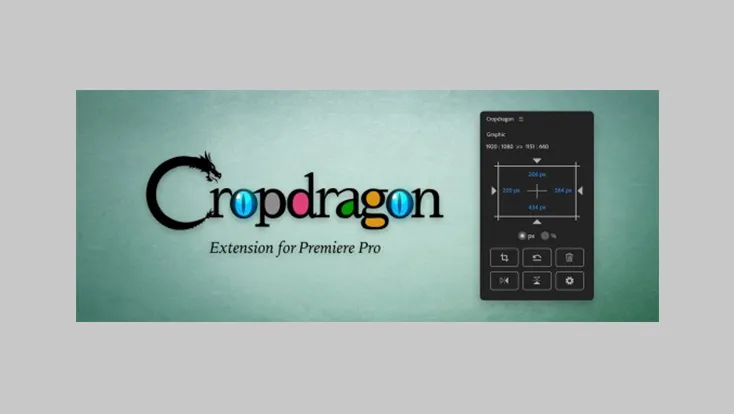
Cropdragon is a powerful extension for Adobe Premiere Pro that automatically applies the Crop effect along the alpha channel of your selected clips. With intuitive controls and precision features, it speeds up the editing process and enhances your workflow.
Key Features:
- Auto Crop
Each click crops the alpha channel gap in forward order.
Shift + Click crops in reverse order.
Alt (Opt) + Click crops along the alpha channel.
Ctrl (⌘) + Click sets crop effect value to 0. - Numeric Values
Clicking on a number allows you to enter a custom value.
You can also perform arithmetic operations.
Use arrow keys to adjust values by ±1.
Hold Shift and use arrow keys to adjust by ±10.
Mouse dragging (up/down or left/right) also changes values. - Link
Clicking the link icon switches between left/right, top/bottom, or all sides linked.
Linked sides are adjusted by the same value. - Unit Selection
You can switch between px (pixels) and % (percent) as the display unit. - Add Crop Effect
Adds the Crop effect to the selected clip.
Alt (Opt) + Click applies cropping to all sides along the alpha channel. - Reset to Default
Sets all crop effect values back to 0.
Also clears temporarily stored alpha channel info.
If Auto Crop is not working properly, try this reset or remove the effect. - Delete
Removes the applied Crop effect from the clip. - Horizontal Flip
Swaps the left and right crop values. - Vertical Flip
Swaps the top and bottom crop values. - Settings
Opens the settings window for advanced adjustments.